Projected planning
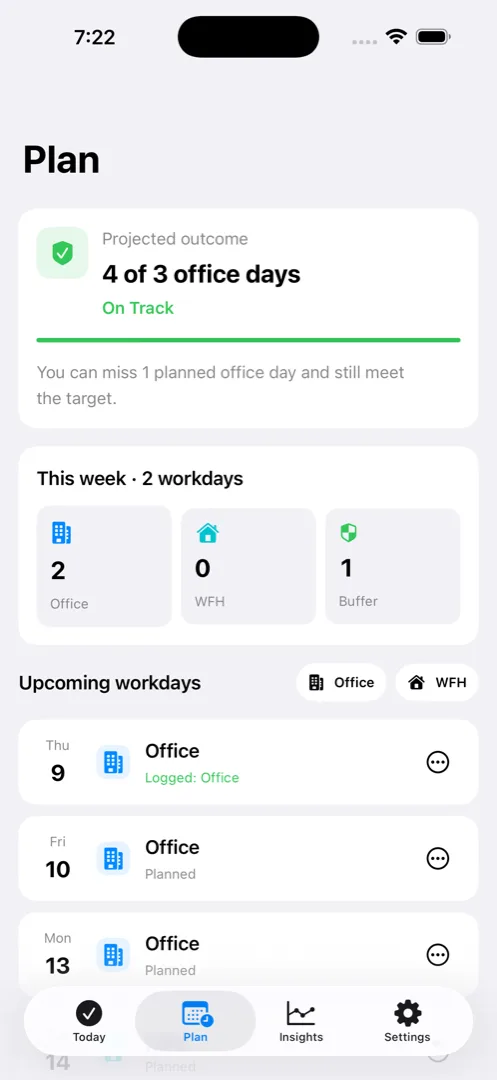
Plan upcoming office days and see projected outcome, target progress, and buffer days.
OfficeComply · RTO tracker for iPhone & iPad
OfficeComply helps you set a return-to-office policy, plan office and WFH days, and see whether your projected outcome is On Track, At Risk, or Non-Compliant—before the scramble.
Local by design. Built for your own plan—not employer monitoring. Free 14-day trial · optional one-time Pro unlock.
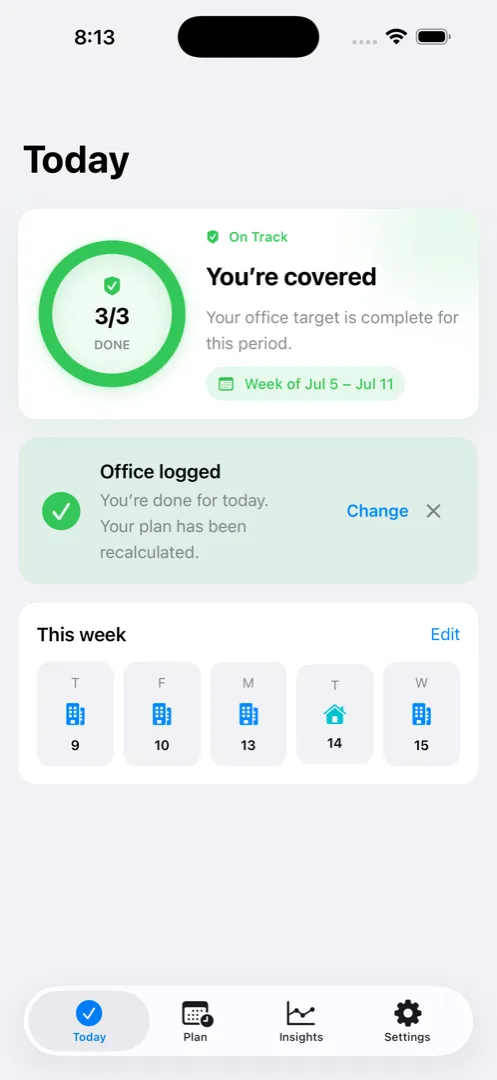
Set the hybrid office policy you are personally tracking, log what happened, and use projected outcomes and remaining days to decide what to do next.
Choose weekly, monthly, calendar-quarter, or rolling-quarter office targets and Holiday handling.
Record Office, WFH, Leave, Holiday, or optional Workation/Travel on the device.
Read On Track, At Risk, or Non-Compliant with remaining days and projected outcomes.
OfficeComply keeps office, WFH, Leave, Holiday, and optional Workation/Travel statuses in one local record, then makes the RTO math easier to act on.
Plan upcoming office days and see projected outcome, target progress, and buffer days.
Use weekday prompts, Monday planning, Friday review, and policy-specific warnings on device.
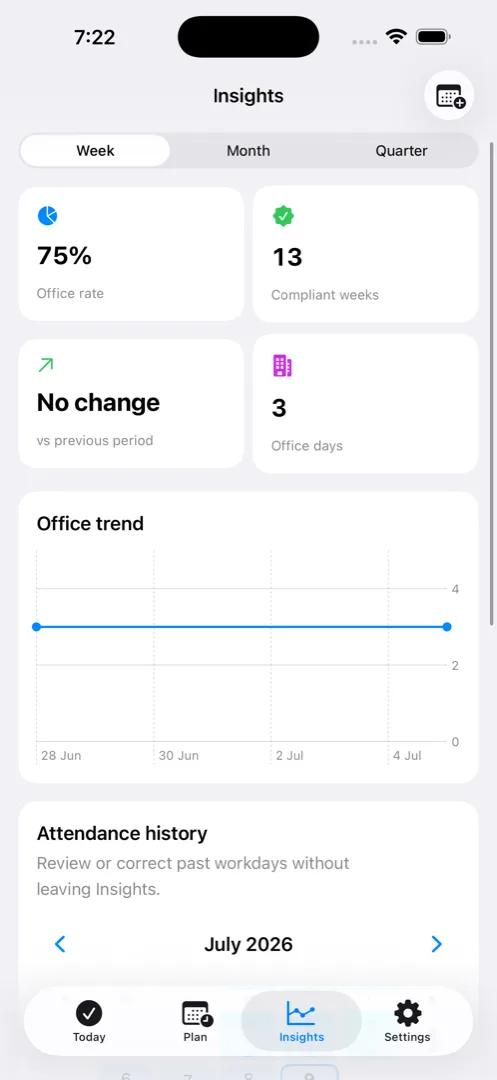
Use opt-in calendar-derived suggestions, period trends, risk explanations, and status breakdowns.
With Pro, export the local record as CSV or a monthly PDF for your own reference.
The answer an RTO tracker should give
OfficeComply uses your selected hybrid policy, local attendance entries, and working days remaining to make the next decision clearer—without employer monitoring.
The required office target is met for the period you configured.
The deficit may still be recoverable with the remaining working days.
The remaining working days are not enough to reach the configured target.
Hybrid work guides
Practical ways to plan your week, keep a private attendance record, and understand your office-day target.
Check today. Plan ahead. See the bigger picture.
OfficeComply keeps your RTO and WFH record on your device. There are no accounts to create, and your records are not used for advertising or employer monitoring.
Read the privacy policyYour attendance history is stored on your iPhone or iPad.
Use the app without creating another workplace login.
Your records are not used for advertising.
Simple answers about planning, privacy, and using OfficeComply.
OfficeComply is a private RTO tracker and hybrid office attendance planner for iPhone and iPad. It helps you log office, WFH, leave, holiday, and optional Workation/Travel days, then compare your record with the policy you configure.
You can plan and record office, work-from-home, leave, holiday, and optional Workation/Travel days, then review your own totals, remaining office days, and risk status.
Yes. OfficeComply supports weekly days, monthly days, monthly percentage, calendar-quarter percentage, and rolling 90-day percentage targets, so you can update the policy when workplace rules change.
Your records and plans remain viewable in read-only mode. Creating or changing data, editable planning, smart reminders, calendar suggestions, Insights, and CSV/PDF reports require the one-time Pro purchase. There is no subscription.
Attendance data is stored locally on your iPhone or iPad. OfficeComply may request local Notifications for reminders and Calendar access for optional calendar-derived Office/WFH suggestions. Read the privacy policy for the complete description.
No. It is a personal planning and record-keeping tool. Your workplace policy and official systems remain authoritative, and OfficeComply does not provide legal, employment, or HR advice.
A private hybrid office attendance companion for iPhone and iPad.